Table to help with recognition of various types of cables for connecting to peripheral components.
In progress…
- Identify the cable or connector.
- Identify primary use (data transfer, video output, networking, etc.).
- Note key features (shape, size, number of pins, color coding, etc.).
- Identifying characteristics.
| Cable Type/Family | Image | Primary Use | Key Features | Identifying Characteristics |
|---|---|---|---|---|
| Ethernet | 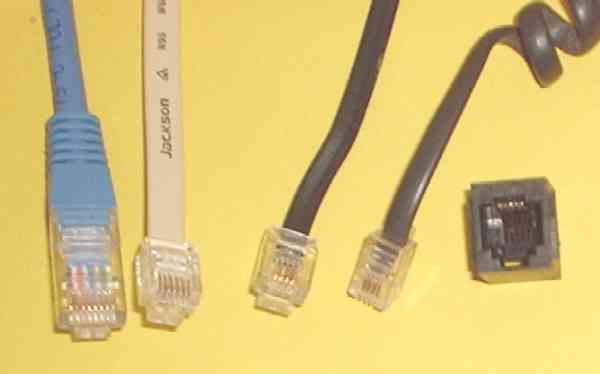 |
Evolved from telephone twisted-pair cables and primarily used in network connections | fast and universal with support for fair distances | plastic tab on square/rectangular housing with six pins/wires |
| HDMI | 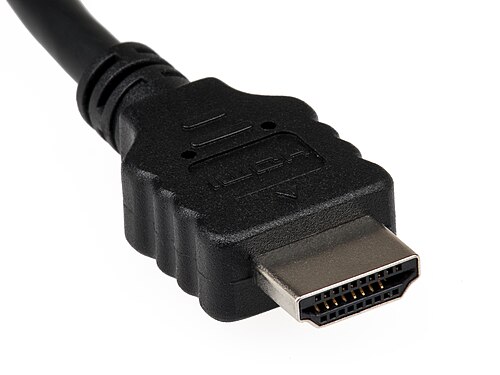 |
Digital audio and video | Fast digital transfer compressed and uncompressed. Compatible with DisplayPort. | Near-rectangular end connected by two quarter-curves to a shorter long side, like a dragon mouth |
| DisplayPort | 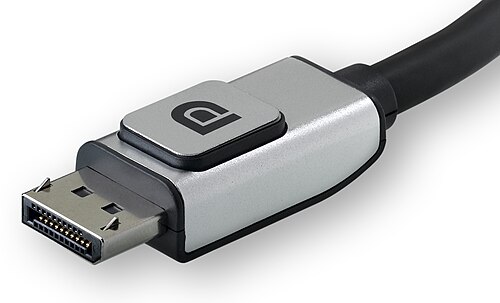 |
Long distances with very little loss | Digital audio and video. Compatible with HDMI. | Asymmetrical end - a rectangle with one corner sliced out. |
| USB (All standards) | 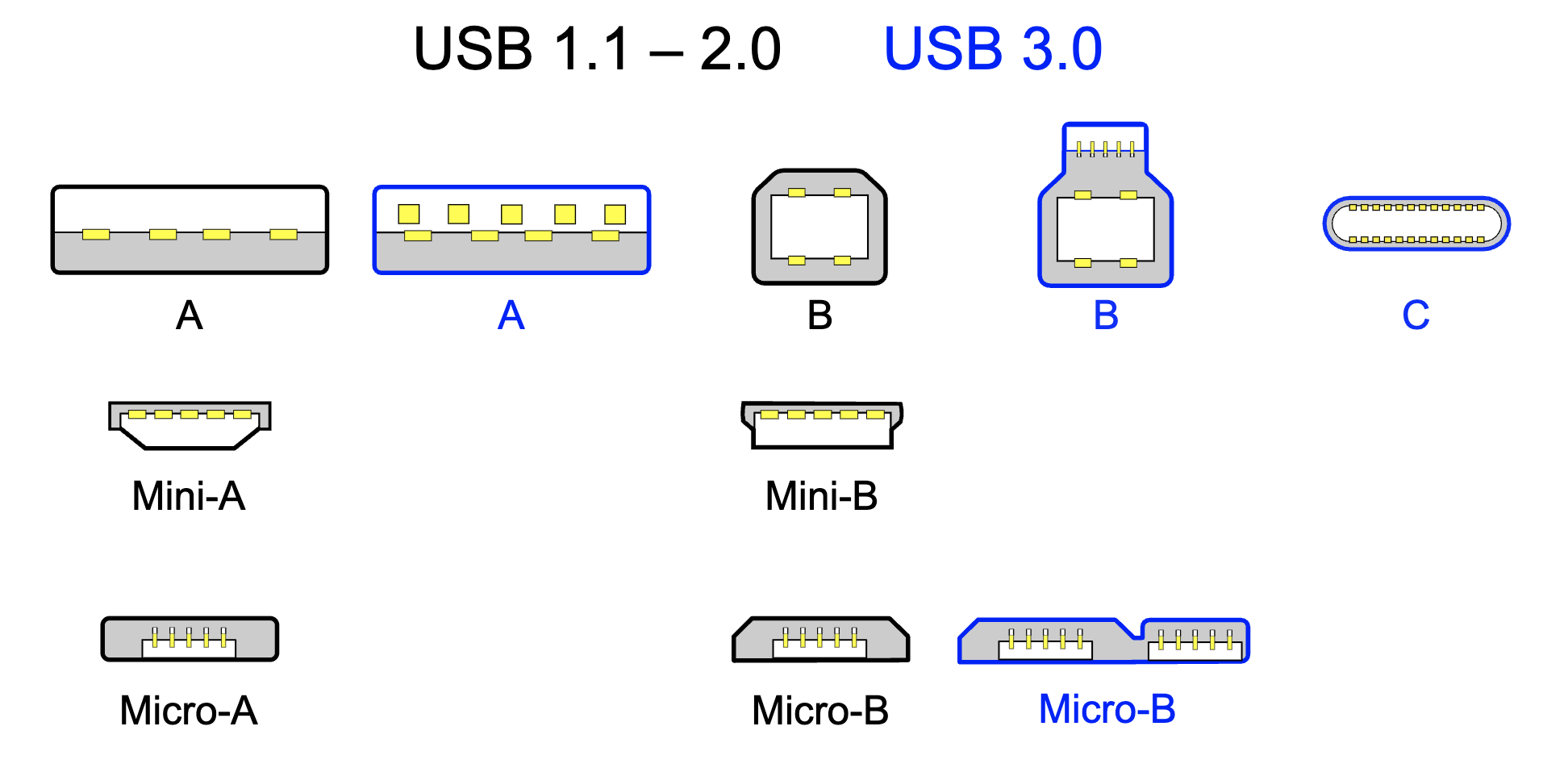 |
Power and data over moderate immediate distances | Ubiquitous and universal | rectangles, squares with roofs and little flat things, some un-keyed. |
| VGA | 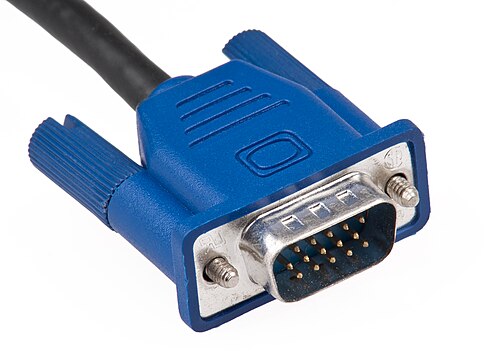 |
Legacy analog audio and video transfer | Relative universality for a long time | Plastic handled attachment screws |
| DVI (All standards) | 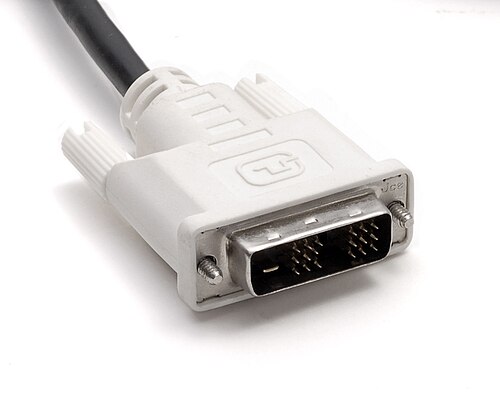 |
Legacy digital audio and video | Superceded by HDMI and DisplayPort | Lots of pins in varying rectangular configurations with plastic-handled connection screws |
| Fiber Optic Connectors | 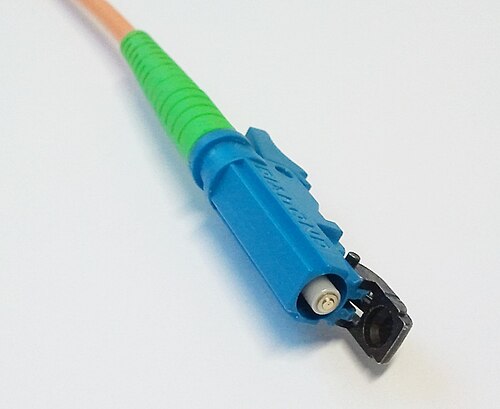 |
Long distances with very little loss | Transmits data with light. More expensive than many other connection types. | Small footprint, small cylindrical ends. |
| Audio cables | 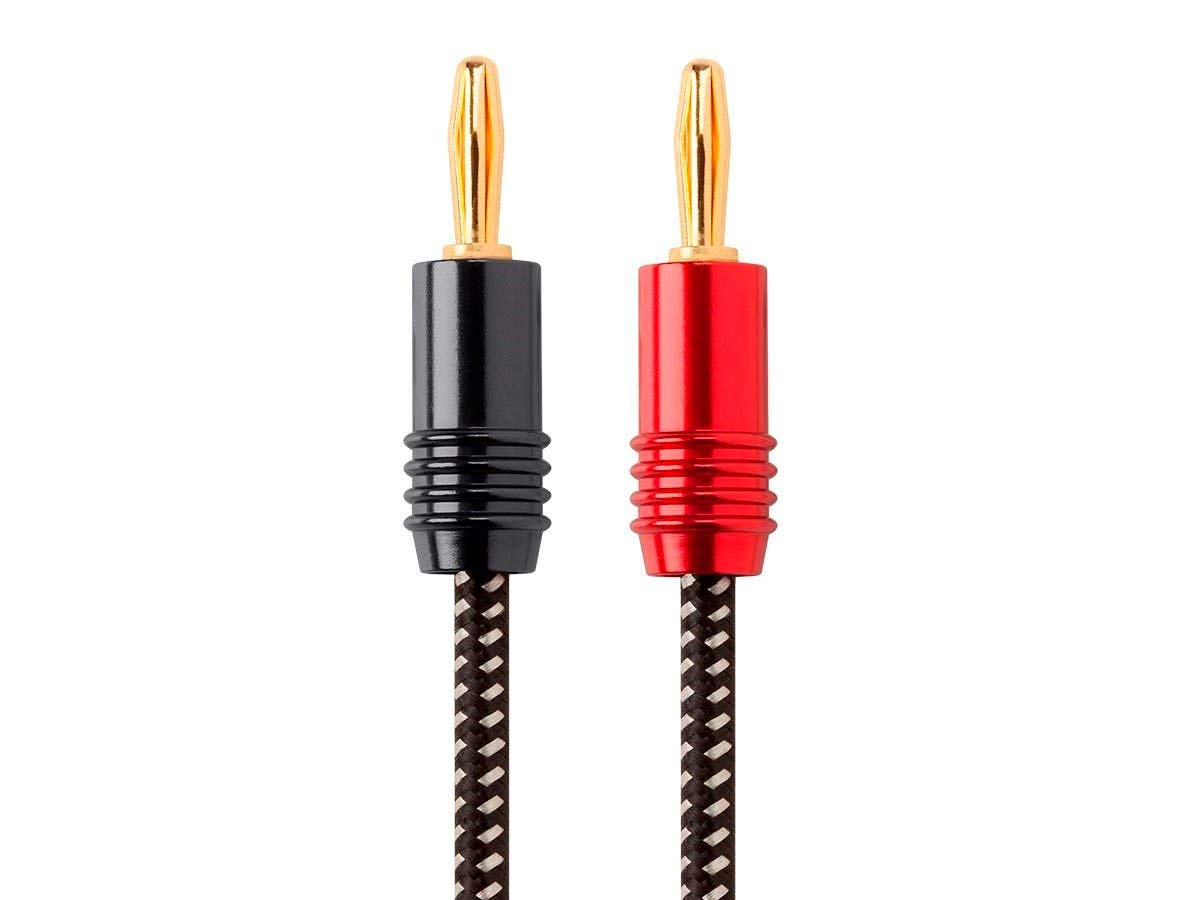 |
Mono or stereo analog audio signal | Also referred to as a phone cable/connector, these come in 1/4 and 1/8 inch sizes as well as in mono (tip-ring) and stereo (tip-ring-sleeve). The original 1⁄4-inch (6.35 mm) version descends from as early as 1877 in Boston when the first telephone switchboard was installed or 1878, when an early switchboard was used for the first commercial manual telephone exchange. | Long and round with a pointy tip and one or two rings just below the head. |
All images are from Wikipedia.